

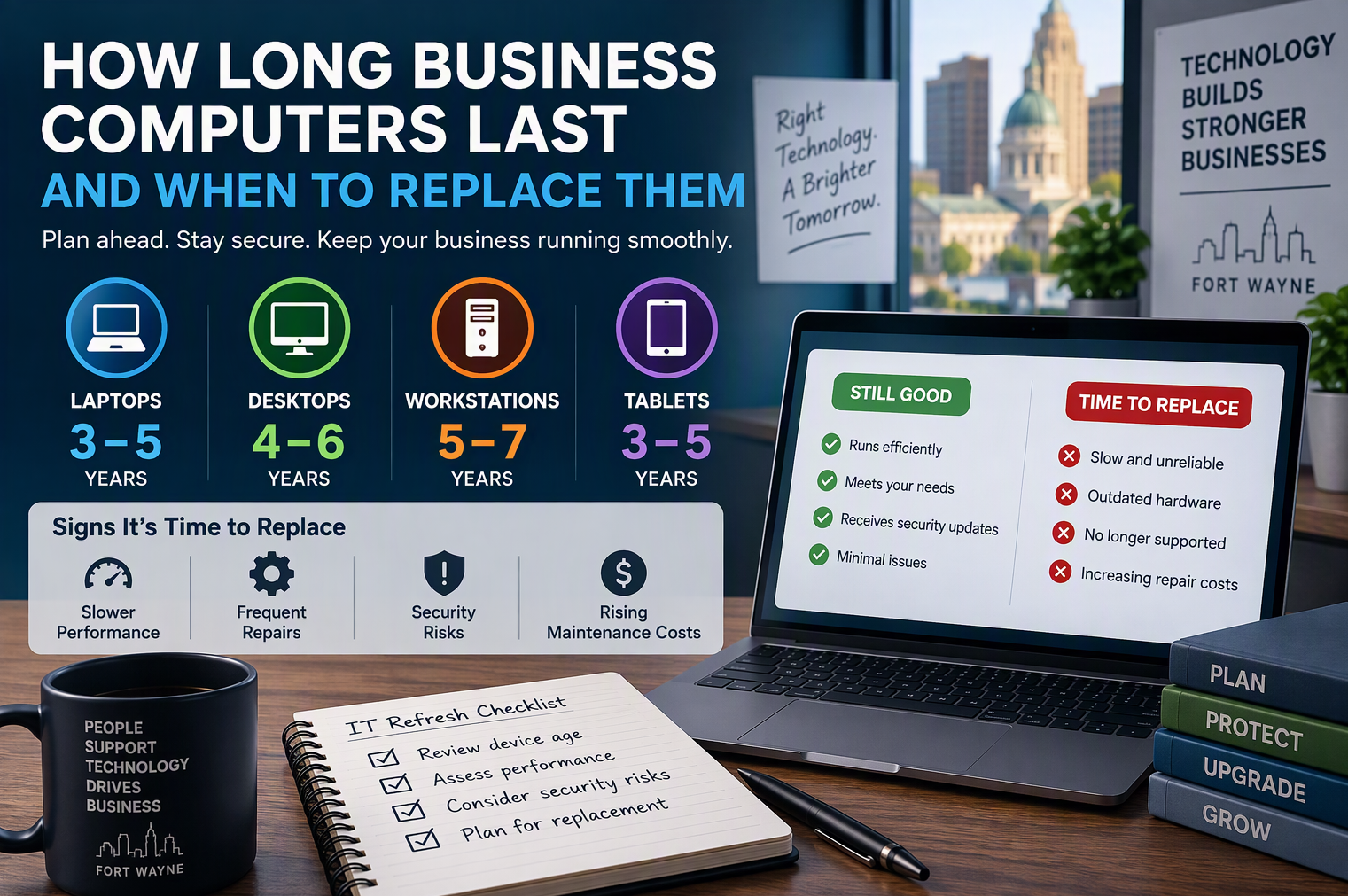
For any organization, business computers are not just tools—they are the backbone of daily operations, productivity, and data security. Yet, like any technology, their usefulness is finite. On average, the typical lifespan of a business computer ranges from three to five years. This timeframe is shaped by several factors, including hardware quality, usage intensity, maintenance routines, and evolving software requirements. While some high-end workstations might endure longer with proper care, most standard desktops and laptops begin to show signs of decline after this period.
It’s important to recognize that this lifespan estimate is not arbitrary. Over several years, advances in operating systems and business applications demand more processing power, memory, and storage than older hardware can efficiently deliver. Even with routine updates and upgrades, aging components inevitably become a bottleneck—slowing down workflows, increasing support costs, and posing potential security risks as manufacturers discontinue updates for outdated systems.
Understanding the expected lifecycle of your business computers allows for proactive planning. By anticipating when devices will reach the end of their productive life, organizations can avoid the pitfalls of sudden breakdowns or subpar performance, ensuring business continuity and making strategic investments at the right time.
Factors That Influence How Long Business Computers Last
The lifespan of business computers is shaped by a complex interplay of factors that extend far beyond initial purchase decisions. Understanding these influences is crucial for companies seeking to maximize value from their IT investments while minimizing the risk of costly downtime or performance bottlenecks.
Hardware Quality and Specifications
At the foundation, the quality of components—such as processors, memory, and storage devices—plays a decisive role in determining longevity. Business-grade machines, designed for durability and reliability, typically outlast consumer models thanks to robust construction and higher-end parts. Investing in quality hardware from reputable manufacturers reduces the likelihood of early failures and ensures systems can handle evolving workloads over time.
Usage Patterns and Workload Demands
How a computer is used day-to-day directly impacts its lifespan. Systems subjected to intensive tasks—such as data analysis, graphic design, or constant multitasking—will naturally experience more rapid component wear than those used for lighter administrative duties. Additionally, computers that run continuously or operate in demanding environments (like manufacturing floors) see accelerated aging compared to those in climate-controlled offices with routine shutdowns.
Maintenance and Environmental Factors
Regular maintenance, including timely software updates, hardware cleaning, and security patching, is essential for extending life expectancy. Neglecting these tasks can lead to overheating, dust buildup, and software vulnerabilities that shorten a system’s useful life. Environmental conditions—such as excessive heat, humidity, or exposure to dust—also play a significant role in how quickly hardware deteriorates.
Ultimately, a proactive approach to selecting, maintaining, and monitoring business computers creates the foundation for a longer, more reliable service life. In the following section, we’ll explore the key warning signs that indicate when it’s time to consider replacing your business computers.
Key Signs Your Business Computers Need Replacing
Recognizing when it’s time to replace business computers is critical for maintaining productivity, security, and operational efficiency. Aging devices can quietly undermine your team’s performance, leading to frustrating slowdowns, compatibility issues, and unexpected costs. Knowing the warning signs helps you act proactively—before a failing machine disrupts your business.
Performance Degradation
One of the most noticeable indicators is a persistent decline in speed. If computers take longer to boot up, frequently freeze, or struggle to run current software, it’s more than an inconvenience—it’s a sign that hardware components are reaching the end of their useful life. Slow performance drains employee time and can erode morale.
Frequent Crashes and Errors
Unexplained crashes, blue screens, or recurring software errors often point to failing components or incompatibility with modern applications. These issues not only interrupt work but also increase the risk of data loss.
Incompatibility with Updates
If your systems can’t install the latest operating system or security updates, they become vulnerable to cyber threats. Outdated hardware can also limit access to essential business software, forcing workarounds that sap efficiency.
Escalating Repair and Maintenance Costs
When maintenance bills start to pile up or replacement parts become difficult to source, holding onto old computers quickly becomes a false economy. Frequent repairs often cost more in the long run than investing in new, reliable devices.
If you’re observing any of these signs across your business computers, it’s time to consider a planned replacement strategy. Upgrading proactively ensures your workforce stays productive and your business data remains secure.